
One of our most popular features is the free Online Meeting Room, a dedicated virtual space where participants can gather before the video conference begins. Hosts have full control over their online meetings, including when to turn their camera on or off during a video conference call. This flexibility allows for more personalized and professional communication while maintaining ease of use.


Bring your business idea to life online with free video conferencing software that puts you in front of potential clients. You can set up shop from anywhere which means your client base can be from anywhere!
Integrate your growing client list by syncing your online video conference with Address Book and Google Calendar Sync.


Whether for business or play, engage in e-learning via Video Chat that is the second-best thing to being in person.


Sessions are hands-on with Screen Sharing feature that shows learners exactly what they need to know.

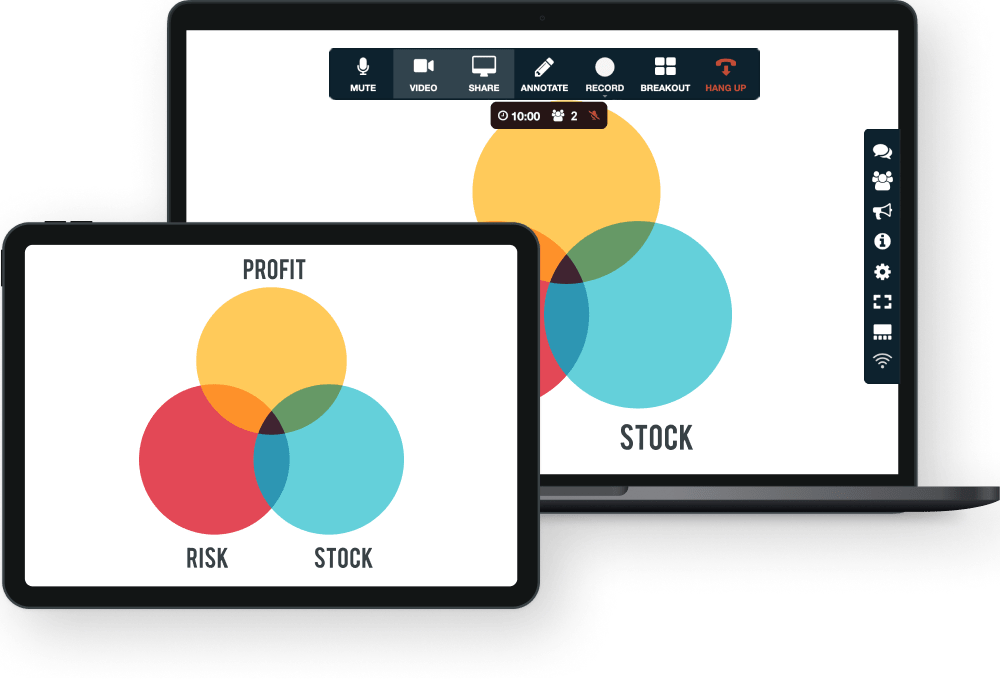
Sharing a presentation during a video conference call is as simple as sharing your screen in real-time. Present your findings, lead participants, or play a video using this interactive feature for more dynamic demonstrations.
FreeConference.com’s high-quality Screen Sharing feature requires no downloads. Just simple, intuitive controls that make video conference calls more effective and frustration-free.
The in-browser free video conference room is a FreeConference.com innovation. Set up, and join an online video conference call in a matter of moments, anytime from anywhere. No other video conferencing software comes with download-free fully integrated Video Calls, Screen Sharing, and Dial-in Numbers.


Look even more polished and professional with additional, premium video conferencing features like Custom Hold Music and Caller ID. Set your business apart with extra features that go the extra mile.

Video conferencing is a two-way communication delivered over the internet, where two or more people "meet" through a video and audio call in real-time without having to be in a single location together.
Video conferencing isn't exactly a brand-new technology, but recently it has skyrocketed in popularity throughout the global COVID-19 pandemic throughout 2020 and 2021, allowing individuals and businesses to hold online meetings, online education (for children still at school), interview job candidates, job training session, and so on.
Thanks to the advancements in technology, while video conferencing used to be fairly expensive and difficult to implement, now video conferencing is very reliable and affordable, and companies can quite easily implement video conferencing at a little to no cost.
The key to a video conferencing session is that the two or more participants should be able to see each other in real-time, which will typically require adequate internet bandwidth.
There are many different methods how free video conferencing can be conducted, but typically it involves three key elements:
Last but not least, high-speed, reliable internet access is necessary to facilitate communication.
Businesses can also join or host free video conferences in a dedicated conference room, equipped with high-grade equipment to capture high-quality audio and video from multiple participants in the room. A video conference room setup may include:
There are two basic types of video conferencing:
Multi-point: a type of video conversation involving more than two participants in at least two different locations. Also called group video conferencing or group calls. A webinar session involving one keynote speaker and multiple attendees is an example of multi-point video conferencing.
As mentioned, there are various methods and techniques you can use to host or join a video conference; each may involve different types of equipment. However, you can host a basic free video conference with the following equipment:
Most modern laptops nowadays come with a built-in webcam, microphone, and speakers, and when connected to high-speed internet is already sufficient for basic conferencing.
Free video conferencing allows multiple participants to "meet" in real-time without requiring the participants to be in a single location, which ultimately saves travel time and money. Multiple participants can join an effective meeting while reducing people's downtime and improving productivity gains by reducing travel time, logistics, and flight preparations, among other inconveniences related to business travel.
Businesses may use free video conferencing for:
Video conferencing can also benefit schools and educational institutions, for example:
With FreeConference, you can host or join a video conference absolutely free.
FreeConference offers free online meeting rooms with free audio/video conferencing, free screen and document sharing, an online whiteboard, and free dial-in integration.
FreeConference allows you to start a free video conference for up to 100 participants, with free screen sharing straight from your web browser to facilitate real-time collaboration.
With FreeConference, you do not need to download and install anything before you can start or join a video conference. FreeConference is a browser-based free video conference solution where up to 100 participants can join a video call easily from their web browsers.
No, you don’t need to download anything to use FreeConference’s free video conferencing solution. With FreeConference.com, the video conferencing and free online meeting room work right in your web browser, letting participants start or join a meeting instantly without installing software, apps, or waiting for downloads or setup.
Our browser-based video conferencing tool is designed for ease of use and accessibility. Hosts and guests can simply click a meeting link and connect from Chrome, Firefox, Safari, or other modern browsers to start free online video meetings, screen sharing, and collaboration.
That said, if you want to use FreeConference on mobile or desktop outside a browser, optional apps and downloads are available for iOS, Android, and desktop, but they aren’t required for free video conferencing.
You can invite a large group of participants to join your free online video conference call, but the exact number depends on how you connect. On our free plan, up to 100 participants can join a video meeting, making it suitable for team meetings, virtual social gatherings, and small business collaboration.
FreeConference also supports audio and dial-in connections for up to 100 callers on the free tier. If you need to host even larger meetings, for example with more than 100 web participants, there are paid plans available that expand participant limits and add additional video conferencing features.
Overall, the video calling solution from FreeConference.com lets you run high-quality, no-cost online meetings with up to 100 participants without downloads or complicated setup.
We don’t have a strict time limit on our conferencing platform. You can host and join unlimited free video conference calls without worrying about your meeting getting cut off after a set number of minutes. FreeConference’s free tier offers unlimited calls on local numbers and video conferencing as part of its service plans, and all plans (including the free plan) explicitly state that there are no time limits on meetings.
This means you can run extended free video conference calls for collaboration, team meetings, remote work discussions, client presentations, or social gatherings without needing to end the session because of a timer. FreeConference’s web-based free video conferencing solution is designed to support continuous online meetings, so you and your participants can stay connected as long as needed without interruptions or forced upgrades.
Overall, our video conferencing platform provides unlimited meeting duration, a key advantage for users who want to host longer virtual meetings without time restrictions.
Yes, FreeConference includes screen sharing as a built-in feature of our video conferencing tool, enhancing collaboration during your online video meetings. With a FreeConference.com free account, you can share your screen in real-time right from your web browser, making it easy to show presentations, documents, slides, visuals, and other content to everyone on the call without requiring any downloads or plugins.
Screen sharing works seamlessly with our free online meeting room, so participants can follow along with what you’re presenting, whether you’re training, pitching, teaching, or collaborating remotely.
This screen sharing capability is part of the free conferencing experience along with HD video, audio, document sharing, and text chat, all designed to make your remote meetings more interactive and productive.
In short, yes, FreeConference includes screen sharing feature you can use anytime during your free online meeting.
With our video conferencing platform, you can record your meetings, but recording is not included on the basic free plan by default. FreeConference offers a free video conference call and video recording feature that lets you capture everything that happens in your online meeting, including audio, video, screen sharing, chat messages, and document presentations as a downloadable MP4 file. You can start and stop recordings with a single click from the online meeting room interface.
However, this recording capability is typically part of a paid plan or recording add-on, meaning you may need to upgrade or purchase the recording feature to use it with the free video conferencing software.
Once you have access to the recording feature, all your saved meeting recordings are stored in your FreeConference dashboard, where you can view, download, and share them with participants afterward.
In summary, while FreeConference supports recording for video conference meetings, you’ll need the appropriate plan or add-on to use that feature, it isn’t automatically included with the free video conferencing service itself.
Yes, FreeConference includes an online meeting room as part of its core features. With a FreeConference.com free account, you get access to a fully functional online meeting room where your participants can join via web browser to connect, collaborate, and communicate in one place without downloads or plugins.
Our online meeting room supports free video and audio conferencing, screen sharing, document sharing, and an online whiteboard, giving you all the essential tools you need for free video meetings and team collaboration. Participants can join from desktops, mobile devices, or by dialing in, making the online meeting room flexible and easy to use whether you’re hosting a business discussion, a virtual classroom session, or a social video call.
This built-in online meeting room is designed to streamline your free video conferencing experience, so you can start or schedule meetings, send invites, and manage collaboration all in one place without having to install separate applications.
Yes, FreeConference’s free video conferencing solution is designed with security in mind, offering features to help keep your online meetings protected and controlled. FreeConference uses WebRTC encryption for audio and video data in transit, which helps safeguard your free video conference calls from unwanted eavesdroppers.
To enhance security during your free online video meetings, FreeConference provides built-in meeting protections like meeting access codes, one-time access codes, and the ability to lock your meeting once it has begun. These controls make sure that only invited participants can join and that unexpected guests can’t just jump into your video conference.
As a host, you can also manage participant permissions and moderator controls to keep your sessions orderly and secure. While advanced enterprise-grade compliance (such as HIPAA) is available under specialized plans, the free video conferencing software offers a solid baseline of secure, encrypted connections and access controls to make your online meetings safer.
In short, FreeConference includes essential security measures to protect your virtual meetings from disruptions while supporting encrypted communication and host-controlled access, while using our free platform for video conferencing.

