

With school video conferencing software, schools can extend learning far beyond campus walls. Reliable, easy-to-use virtual meeting tools help educators host live classes, tutoring sessions, staff meetings, parent conferences, and group discussions from anywhere. Video conferencing software for schools makes it simple to keep learning consistent, connected, and accessible at all times.
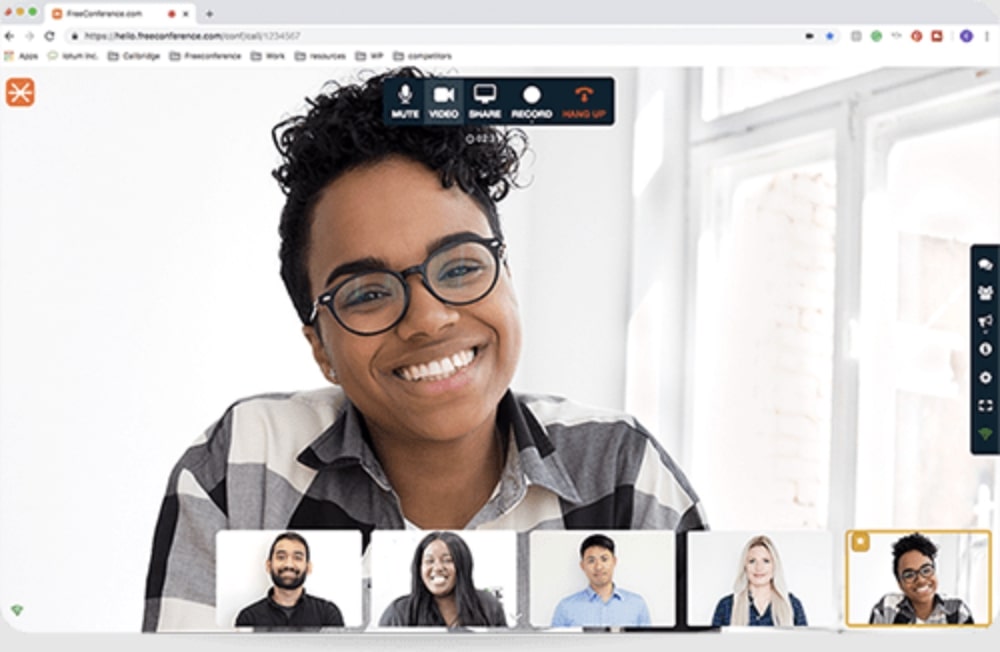


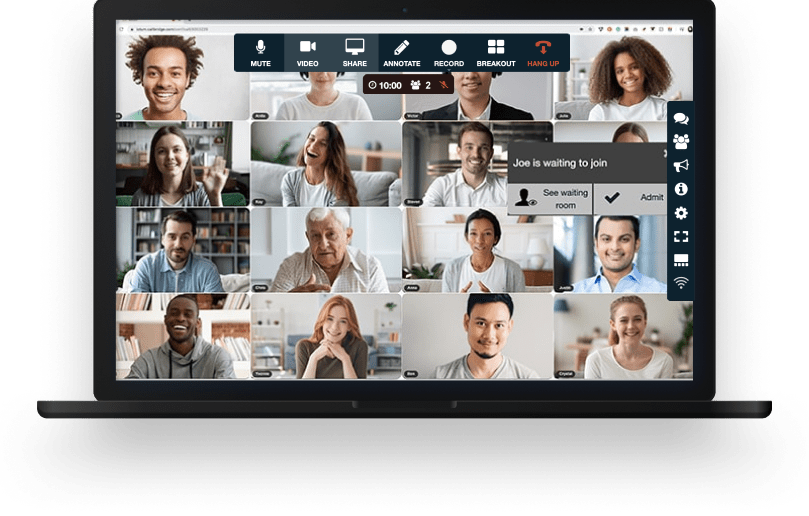
Your school conference comes with all the tools you need to make an engaging and uplifting experience.

Test your microphone, audio, video, and internet connection with the handy Call Diagnostic Tool.

Have participants join your session worldwide with numbers available in 20+ countries. Including Nigeria, Canada, and much more..

Keep your conference calls clear, uninterrupted and organized with moderator controls.

Upload your contacts for the fastest, easiest conference call set up ever.

At FreeConference, we’re always happy to help. Check out 0ur FAQ page. Or if you can’t find what you’re looking for, create a ticket.
Yes, FreeConference provides school video conferencing software with security features designed to help protect online classes, staff meetings, parent conferences, and other virtual school communications. For schools, privacy and controlled access are essential, especially when students, teachers, and administrators are meeting online.
To support a safer experience, FreeConference uses protected audio and video connections during live meetings. This helps schools reduce unwanted access and create a more secure environment for virtual instruction, academic support sessions, faculty collaboration, and school-wide online events. When choosing video conferencing software for schools, dependable security plays a major role in keeping communication protected and uninterrupted.
Hosts can also use built-in meeting controls to manage access and maintain order throughout each session. Features such as access codes, restricted entry options, and meeting lock settings help ensure that only invited participants are able to join. This makes FreeConference a practical choice for schools that need school video conferencing software that supports privacy, structure, and reliable communication.
Moderator and host controls also make it easier to manage participants, guide classroom discussions, and keep meetings running smoothly. Whether educators are leading virtual lessons, school administrators are hosting staff meetings, or teachers are meeting with parents, FreeConference helps create a more organized and secure online meeting experience.
For schools looking for dependable video conferencing software for schools, FreeConference offers the essential protections and meeting management tools needed to support safe, effective, and well-controlled virtual learning.
Yes, FreeConference includes a built-in online meeting room that gives schools one convenient place to host virtual classes, faculty meetings, parent-teacher conferences, student support sessions, and other school-related events. With FreeConference school video conferencing software, participants can join through a web browser for a simple meeting experience without complex setup or unnecessary technical hurdles.
The online meeting room is built to support high-quality audio and video, along with collaboration features like screen sharing, file sharing, and interactive tools that help improve communication and engagement. Whether students and staff are joining from a desktop, tablet, smartphone, or phone line, FreeConference makes it easier to stay connected from almost anywhere. This flexibility makes it a strong option for schools that need accessible and dependable video conferencing software for schools.
FreeConference helps simplify virtual communication by bringing scheduling, invitations, participant access, and live meeting tools together in one platform. Instead of using multiple systems for online learning and school communication, educators and administrators can manage everything in one place. For schools searching for effective school video conferencing software, FreeConference offers a streamlined solution that supports collaboration, accessibility, and day-to-day communication.
Yes, FreeConference supports meeting recording, giving schools an easy way to save important virtual sessions for future access, review, and sharing. With school video conferencing software, recording can be especially useful for virtual classes, staff meetings, training sessions, parent presentations, and student support meetings. It allows schools to capture key parts of a session, including audio, video, shared content, and presentations, so important information remains available after the meeting ends.
Depending on the plan selected, recording features may be included as part of the platform or offered through upgraded options. For schools comparing video conferencing software for schools, it is important to choose a solution that fits both communication needs and recording requirements. Having access to recorded sessions can help educators support absent students, share lessons with families, and keep important administrative discussions documented.
Once recording is available, hosts can typically manage it directly from the meeting interface, making it simple to start or stop a recording during a live session. Afterward, saved recordings can be accessed, reviewed, downloaded, and shared as needed. This makes FreeConference a practical option for schools that want school video conferencing software with flexible tools for virtual learning and communication.
For educators and administrators looking for video conferencing software for schools that supports stronger continuity and accessibility, recording features add lasting value to every online meeting.
Yes, FreeConference includes screen sharing, an essential feature for schools that need more interactive and effective virtual communication. As school video conferencing software, screen sharing helps teachers, staff, and administrators present lessons, assignments, schedules, announcements, slides, and other materials directly within the online meeting.
This feature is especially valuable for virtual classrooms, teacher collaboration, academic support sessions, and parent-teacher conferences. Instead of asking participants to open multiple tools or search for files on their own, presenters can display everything in one shared space. That makes video conferencing software for schools more efficient, easier to follow, and more engaging for students, families, and staff.
Screen sharing also works well alongside other meeting tools such as audio conferencing, video meetings, chat, file sharing, and collaboration features. Together, these functions help schools create a smoother online experience for instruction, communication, and group participation.
For schools searching for dependable school video conferencing software, FreeConference offers screen sharing as part of a more connected and organized virtual meeting environment. It helps make online lessons and school meetings easier to lead, easier to understand, and more productive for everyone involved.
FreeConference is designed to support schools that need flexibility for longer virtual sessions, whether for online classes, staff meetings, parent-teacher conferences, student support discussions, or school-wide events. For educators and administrators, having enough time to teach, collaborate, and communicate without unnecessary interruptions is an important part of choosing the right school video conferencing software.
Many schools rely on virtual meetings that go beyond a short check-in. Lessons, faculty planning sessions, tutoring, training, and family engagement meetings often require more time to be productive. That is why video conferencing software for schools should offer a dependable experience that allows conversations and instruction to continue smoothly.
When comparing options, schools should review plan details to understand meeting duration limits and available features. The right school video conferencing software should give teachers and staff the freedom to host meaningful virtual sessions with strong call reliability and minimal disruption. FreeConference is a practical choice for schools looking for an accessible platform that supports consistent communication and extended online collaboration.
In short, FreeConference helps schools create a more flexible virtual environment, making it easier to host online meetings that need time, structure, and stability.
No, FreeConference makes it easy for schools to host and join meetings through a web browser, reducing technical barriers for students, families, teachers, and administrators. Browser-based access is a major advantage for any school video conferencing software, because it allows participants to join quickly without a complicated setup process.
With video conferencing software for schools, ease of access matters. Teachers can share a meeting link, and participants can join virtual classes, school meetings, parent conferences, and support sessions from a desktop, laptop, tablet, or mobile device. This makes FreeConference especially useful for school communities with a wide range of devices and varying levels of technical comfort.
Some users may also choose optional apps or added tools for convenience, but the core meeting experience can often be accessed without requiring extra downloads. That makes FreeConference a strong option for schools that want school video conferencing software that is simple, user-friendly, and easy to adopt across the entire school community.
For schools focused on accessibility and smoother participation, browser-based entry helps remove friction and encourages better attendance and engagement.
The number of participants who can join a FreeConference session depends on the plan and meeting setup selected. Schools often need video conferencing software for schools that can support a range of meeting sizes, from small tutoring groups and classroom discussions to larger assemblies, faculty meetings, and parent information sessions.
One advantage of school video conferencing software is the ability to support different ways of joining. In many cases, participants may be able to connect online or by phone, which can help schools include students, staff, and families with different access needs. This added flexibility is valuable for building a more inclusive virtual communication experience.
Schools planning to host larger online events should review available plan options and participant capacities to make sure the platform matches their needs. The best video conferencing software for schools should be scalable, dependable, and easy to manage, whether the audience is a small class or a broader school community.
Overall, FreeConference gives schools a flexible solution for virtual communication, helping them support everything from everyday instruction to larger online gatherings with greater ease and accessibility.

