

A student moves three towns over. A guitar teacher spends summers touring. A parent can't make the weekly drive across the city anymore. None of that has to mean the end of a lesson. Music lesson video conferencing software lets a teacher hold a live session from wherever the day takes them, and lets a student join from a bedroom, a dorm, or a practice room.
Our platform was built to make that hand-off effortless. Schedule the lesson, send the invite, and meet face to face online with HD video and audio. With FreeConference, a teaching studio is no longer tied to a single address - it's wherever the teacher and the student happen to be.
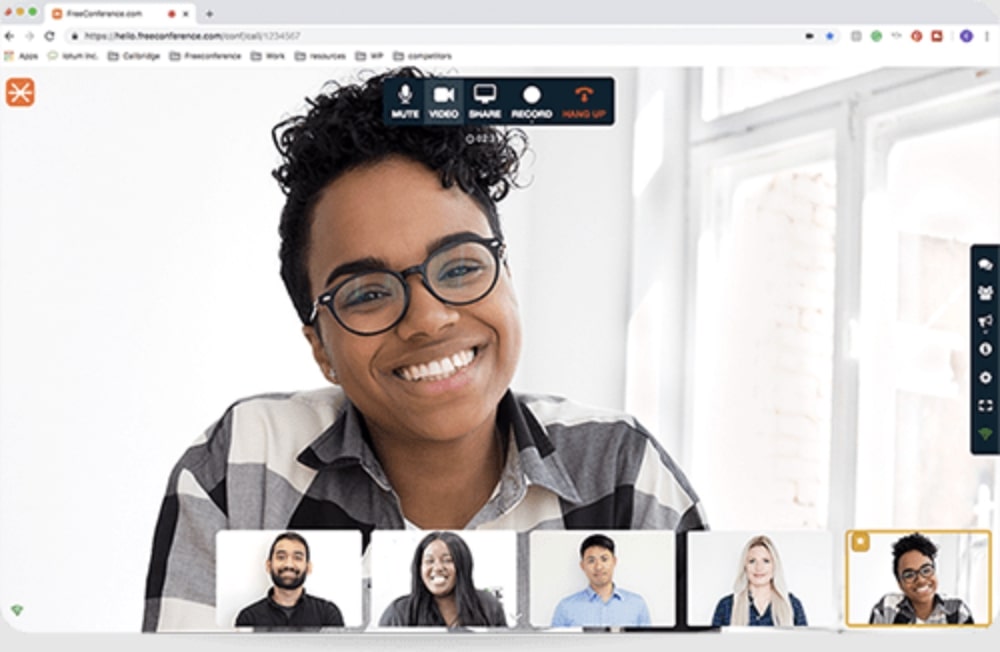


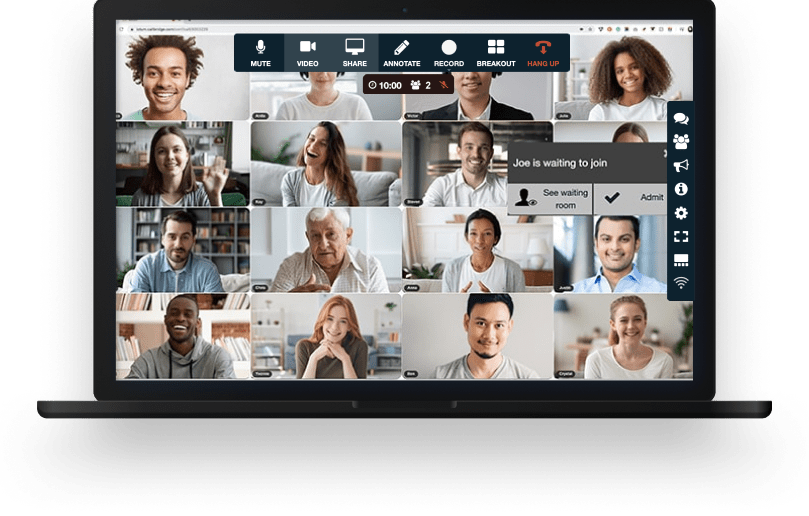
Your lesson comes with all the tools you need to make an engaging and uplifting experience.

Test your microphone, audio, video, and internet connection with the handy Call Diagnostic Tool.

Have participants join your session worldwide with numbers available in 20+ countries. Including Nigeria, Canada, and much more..

Keep your conference calls clear, uninterrupted and organized with moderator controls.

Upload your contacts for the fastest, easiest conference call set up ever.

At FreeConference, we’re always happy to help. Check out 0ur FAQ page. Or if you can’t find what you’re looking for, create a ticket.
Pick on the things that actually matter for teaching from a distance:
FreeConference answers these: no-download browser join, free dial-in in 15 countries, audio recording on Starter and video on Pro, no time limit, and honest latency framing, with up to 5 students on video free (100 more by phone). For real-time duet playing, add a dedicated low-latency specialist.
Nothing to start. FreeConference is free forever, with no credit card required, and the free plan already covers the core of teaching online: HD video and audio, an online meeting room, screen sharing, chat, scheduling, invitations, and reminders. For a teacher running private lessons and small groups, that's often everything the studio needs without paying a cent.
Paid plans come in for teachers who want extras like recording, video capture, transcription, live streaming, or larger group classes, starting at a modest monthly price. The sensible approach is to teach on the free plan first and only move up when your studio actually reaches for one of those features.
Yes. FreeConference has free mobile and desktop apps, so a teacher can run a lesson from an iPhone, iPad, or Android device as well as a laptop - handy if you teach from a studio without a computer set up, or if your sheet music already lives on a tablet. Students can join the same way, from whatever device they have.
One thing worth knowing: screen sharing - the tool you'd use to walk through a score - currently runs best in Google Chrome and the desktop apps. So if displaying sheet music is a regular part of how you teach, it's worth running those lessons from a computer, while quick video-and-audio lessons work comfortably from a tablet or phone.
A few small setup choices make a real difference for music, where sound matters more than in an ordinary call. A wired internet connection is steadier than Wi-Fi, headphones or earbuds stop the microphone from picking up echo, and running the free Call Diagnostic Tool before a lesson confirms the mic, camera, and connection are solid before a student is waiting on you.
It's also fair to set expectations: internet video carries a slight delay, so playing in perfect unison across the connection can be tricky, as it is on any video platform. For the heart of teaching - demonstrating a passage, listening to a student play it back, and correcting in the moment - clear two-way audio and video hold up well, and keeping a dial-in number handy gives you an audio backup if someone's video gets shaky.
The free plan supports up to 5 students on video in the meeting room, plus up to 100 joining by phone, which covers private lessons and small groups comfortably. When your classes outgrow that - larger group video sessions, a full masterclass, or a studio-wide event - the paid plans raise the video capacity, with the Pro plan supporting up to 250 on the web.
Upgrading also unlocks the features a growing studio tends to want: audio recording on Starter, and video recording, transcription, custom branding, and YouTube streaming for recitals on Pro. A practical rule of thumb is to size your plan to the largest class you actually teach, not the average lesson, so you're never turned away at the door of your own session.
Yes. Using screen sharing in Google Chrome or the desktop app, you can share a play-along track, a reference recording, or a metronome so the student hears it inside the meeting, and you can drop the file into the meeting with document sharing if you'd rather they have their own copy to practice with.
It's worth remembering that internet audio isn't studio-grade, so a shared track is best for guidance - playing along, hearing a tempo, or referencing a recording - rather than a note-perfect performance mix. For the teaching purpose, having the track right there in the lesson beats pausing to tell a student to go find it themselves.
Yes, on a paid plan. Audio recording is available on the Starter plan, and video recording saved as an MP4, plus automatic transcription, is on the Pro plan. Free-plan lessons are not recorded, so if reviewing lessons matters to how you teach, start on Starter or Pro. Let the student know a lesson is being recorded before you begin.
A recording is one of the most useful things you can give a student between lessons: they can replay a demonstrated phrase, check a correction to their fingering or bowing, or work through the week's assignment exactly as it was taught, instead of relying on memory.
Moderator controls give the teacher the same authority online that they'd have in a room. You can mute a noisy line, manage who's speaking, and bring order to a beginner ensemble so one loud background doesn't drown out the lesson. For music especially, being able to silence everyone but the student playing is what makes group teaching workable over video.
You also control who's in the room in the first place. Admitting students yourself, rather than leaving the door open, keeps a class to the people who belong there. Together those controls let you run a group session that stays focused instead of dissolving into crosstalk.
For teaching, demonstration, and feedback, yes. For playing a duet in perfect time together, no general video platform is ideal, because the internet adds a small delay that FreeConference cannot remove. Use FreeConference for the lesson, screen sharing, dial-in backup, and recording, and pair it with a dedicated low-latency tool when you need to perform in real time with the student. Being clear about this up front is how you avoid a frustrating lesson.
Yes. For an everyday lesson, a parent can simply sit in on the call - useful for a younger student - and you stay in control of who's admitted. For a bigger moment like a group class, a masterclass, or a studio recital, the Pro plan's YouTube live-stream option lets families and friends watch along even when they can't fit in the room.
Streaming turns a recital into something the whole extended family can see without each person taking up a spot in the meeting itself. To keep it private, set the YouTube broadcast to unlisted or private so only families with the link can view. Paired with recording, it also means anyone who misses the live performance can watch it afterward - a nice touch for grandparents in another time zone or a parent stuck at work.
Yes. FreeConference is well suited to a studio with students spread across regions. Lessons are scheduled with automated invitations and reminders that reach students wherever they are, and the calendar sync with Google Calendar and Outlook helps keep a lesson in the right slot when you and the student are hours apart.
For students on unreliable or expensive connections abroad, free dial-in numbers are available in 15 countries, so a student can call a local number and join by audio instead of paying for an international line. That mix of online and phone access keeps an international studio running without the usual long-distance headaches.