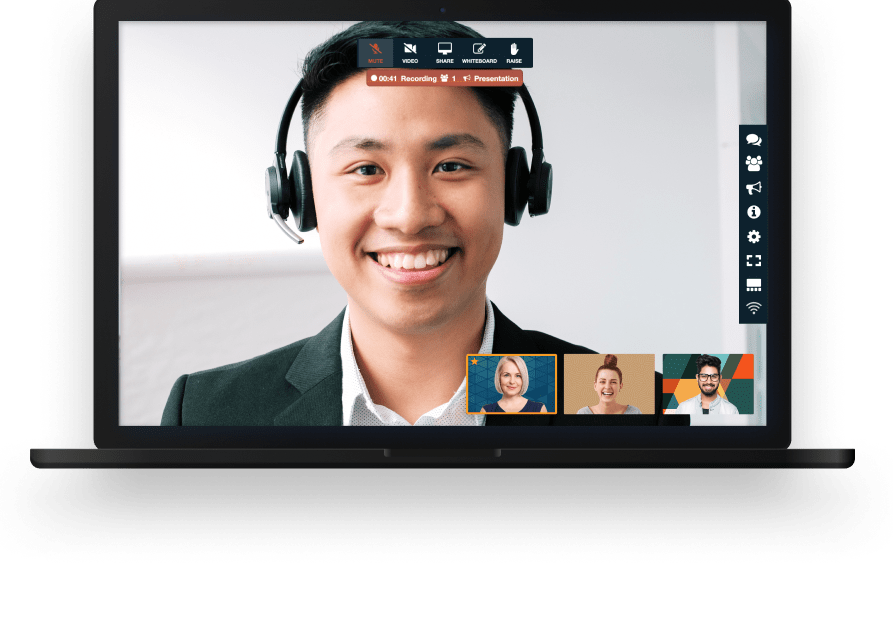

With FreeConference video conferencing for real estate, agents and brokerages can meet with clients and transaction partners without losing days to travel. Our conference calling and virtual meeting tools give real estate professionals a practical way to run buyer consultations, listing appointments, offer reviews, inspection debriefs, closing coordination calls and weekly team meetings from almost anywhere. Relocating buyers, investors in another state and sellers who have already moved out of the property are normal in this business, and they are exactly the people who are hardest to get into an office. FreeConference helps keep those conversations on the calendar instead of on hold.

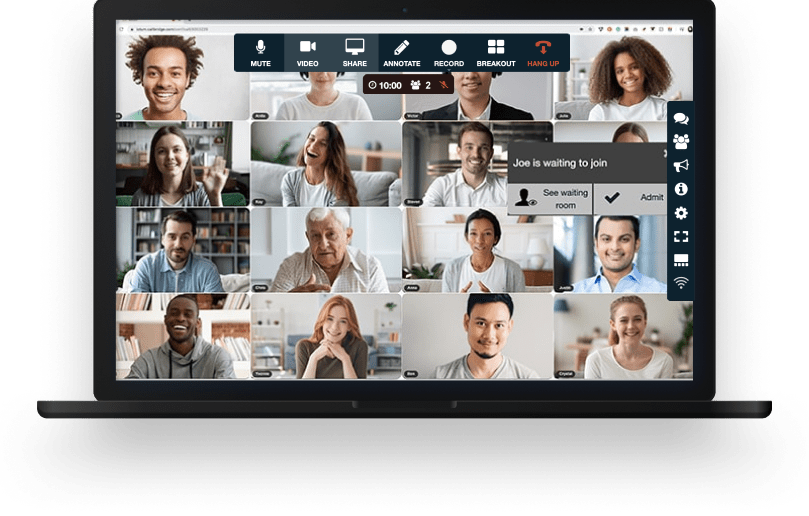


Your meeting session comes with all the tools you need to make an engaging and uplifting experience.

Test your microphone, audio, video, and internet connection with the handy Call Diagnostic Tool.

Have participants join your session worldwide with numbers available in 20+ countries. Including Nigeria, Canada, and much more..

Keep your conference calls clear, uninterrupted and organized with moderator controls.

Upload your contacts for the fastest, easiest conference call set up ever.

At FreeConference, we’re always happy to help. Check out 0ur FAQ page. Or if you can’t find what you’re looking for, create a ticket.
Yes. FreeConference includes security features that help agents and brokerages host client meetings with more confidence. Real estate conversations involve financial details, personal identification, move dates and contract terms, so the meeting itself needs a sensible level of protection.
Audio and video real estate conferences on FreeConference are encrypted using DTLS and SRTP, the standard protocols behind WebRTC, and meeting chat runs over HTTPS. That matters when an agent is discussing a client's budget, a seller's reason for moving, or the terms of an offer that has not been made public.
Hosts also get control over who actually gets into the room. Access codes, a waiting room and meeting lock options help keep a listing presentation or an offer review limited to the people who were invited. This is worth thinking about during a multiple-offer situation, where two competing buyers should never end up in the same meeting by accident.
Moderator tools make it easier to manage a call with several parties on it. A closing coordination call with a lender, a title officer and both sides of the transaction runs better when the host can mute, admit and guide the discussion rather than talk over it.
One point worth being clear about: a real estate video meeting is not the same thing as a remote online notarization. If a document has to be notarized remotely, that step runs through a notary platform approved by the state where the property sits. FreeConference is the place to have the conversation around a closing, not the notarization itself.
Yes. FreeConference includes an online meeting room that gives agents, clients and transaction partners one place to meet. As video conferencing for real estate, it is built to be simple enough that a seller in their seventies and an investor on a phone in an airport can both get in without needing a support call first.
Participants can usually join through a web browser, which removes the install step that tends to derail a meeting in its first five minutes. Agents work with clients at every level of technical comfort, and browser entry keeps that barrier low.
The meeting room supports audio and video along with screen sharing, file sharing and meeting chat. Those tools cover most of what a real estate conversation needs, from reviewing a net sheet to sending over a copy of a disclosure or dropping a property address into the chat.
People can join from a desktop, a tablet, a smartphone or an ordinary phone line. That range is useful for virtual showings, buyer consultations, owner update calls, HOA and board meetings, contractor walkthroughs and the weekly team meeting.
Scheduling, invitations, participant access and live collaboration all sit inside the same platform, so an agent is not stitching together a calendar tool, a dial-in service and a separate screen sharing app just to run one appointment.
Yes. Recording is available on the FreeConference paid plans and can be useful when a conversation needs to be revisited later. Audio recordings are saved as MP3 files and video recordings as MP4 files.
Real estate teams tend to use recording for training and internal reference more than for client calls. New agent onboarding, a strong listing presentation kept as a coaching example, a lunch-and-learn with a lender, and a recorded team meeting for whoever was out showing property are all common reasons to press record.
Recording is started from the meeting interface on the web, or by dialing star nine from a phone connection. Once the meeting ends, the file lands in the account dashboard, where it can be reviewed, downloaded or shared with the people who need it.
Because recording sits on the paid tiers, it is worth checking current plan details before building a workflow around it, since storage allowances and transcription availability differ between plans.
A practical note for client-facing calls: recording a conversation without telling the other participants causes problems in several states, and it is poor practice with a client in any case. Say it out loud at the start of the call and get an acknowledgment before the recording begins.
Yes. FreeConference includes screen sharing, and for real estate it is probably the most used feature after the video itself. Agents spend a large part of their client conversations explaining documents, and those conversations move faster when the client can see the page being discussed.
Screen sharing works well for comparative market analyses, pricing strategy meetings, seller proceeds walkthroughs, inspection report reviews, disclosure packets, plat maps, floor plans and listing photo sets. It also covers the internal side of the business, such as reviewing a marketing calendar with the team or training a new agent on the MLS.
The feature works alongside audio conferencing, video calls, meeting chat and file sharing, so a participant can be shown a document during the call and then sent a copy of it in the same session.
For a virtual showing, an agent can share a video walkthrough or a photo set and narrate it live, answering questions as they come up. Buyers now treat video walkthroughs and 3D tours as a normal part of a listing rather than a bonus, so putting a live agent alongside that material is a reasonable next step.
No. In most cases participants join a FreeConference real estate meeting through a web browser using a secure link, with no installation required. For an agent that is the difference between a client who joins on time and a client who spends the first ten minutes of the appointment on an app store page.
Clients can join from a desktop, a laptop, a tablet or a phone. That flexibility matters when a buyer is calling in from a jobsite, a seller is joining from a relative's house in the middle of a move, or an out-of-state investor is joining from a different time zone.
Desktop and mobile apps are available for people who prefer them, and dial-in is there for anyone who would rather use a phone line than a browser. The core meeting experience does not depend on any of that.
For brokerages working with a wide mix of clients, low-friction entry is not a small detail. It reduces no-shows, cuts down on rescheduling, and keeps the agent from acting as unpaid technical support before every appointment.
Capacity depends on the plan and the type of meeting. The real estate video conferencing free plan supports up to 100 participants on the call side and up to 5 on web video, which covers a one-on-one buyer consultation, a listing appointment with both owners present, or a small team huddle. The Pro plan raises that to 250 call participants and 250 web participants for larger sessions.
Most real estate meetings are small. A buyer consultation, a listing presentation, a price reduction conversation and an offer review usually involve somewhere between two and six people.
Larger numbers come up in specific situations, such as an investor webinar, a brokerage-wide sales meeting, an HOA or condo board meeting, a first-time buyer seminar run with a lender, or a property management owner update covering several buildings.
Participants can join online or by dialing in, which helps when part of the group is at a desk and part of the group is in a car between showings. Before planning a larger event, it is worth reviewing current plan details so the attendee limit matches what the meeting actually needs.