
Mobile meetings fall apart when the app makes you work for it. FreeConference is built to get out of the way: open the iOS app, start a call or tap a meeting link, and you're in. There's no PIN to hunt for, no maze of settings, and no long setup between deciding to meet and actually meeting.
That speed is the whole point of meeting from a phone. Jump into a client call while you're out, join the morning stand-up from the train, or spin up a quick huddle the moment a question comes up - the kind of conversations that never happen if joining takes more effort than they're worth.
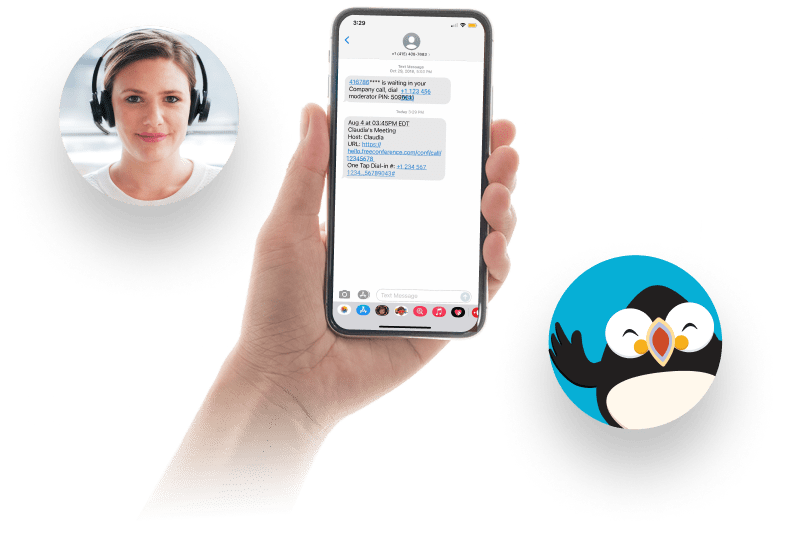


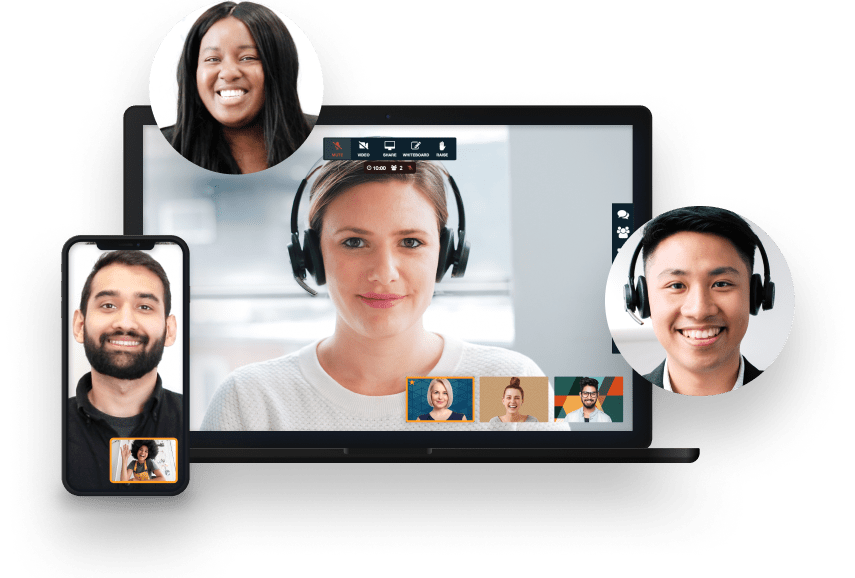
Your meeting session comes with all the tools you need to make an engaging and uplifting experience.

Test your microphone, audio, video, and internet connection with the handy Call Diagnostic Tool.

Have participants join your session worldwide with numbers available in 20+ countries. Including Nigeria, Canada, and much more..

Keep your conference calls clear, uninterrupted and organized with moderator controls.

Upload your contacts for the fastest, easiest conference call set up ever.

At FreeConference, we’re always happy to help. Check out 0ur FAQ page. Or if you can’t find what you’re looking for, create a ticket.
The app is free to download and FreeConference is free to use - free forever, with no credit card required and no trial that quietly runs out. On the free plan you can host meetings with video, an online meeting room, scheduling, invitations, reminders, meeting chat, document sharing, dial-in, and up to 5 participants on video (plus up to 100 more who join by phone), all from your iPhone.
Paid plans exist for people who need more, such as recording, transcription, larger meetings, or the meeting lock, and they start at a modest monthly price. For most iPhone users the practical move is to start on the free plan, use it for real calls, and only upgrade if a specific need comes up.
Pick on five things you feel when you meet from a phone:
FreeConference answers all five: a few-tap iOS join, no-download guest join, free dial-in in 15 countries, no time limit, and a desktop hand-off for screen sharing, with up to 5 on video free (100 on the phone line).
On the free plan, up to 5 people can be on video at once, and up to 100 more can join by phone on the same call. That covers the everyday calls most people run from a phone: a quick huddle, a client check-in, or a stand-up. For a bigger meeting on video, the Pro plan raises the web limit to 250. Because dial-in shares the meeting, someone on a weak mobile connection can still take part by phone.
Yes, on FreeConference's paid plans. Recording is available when you upgrade - audio recording on the entry paid tier, and full audio-and-video recording saved as an MP4, plus transcription, on the Pro plan - so you can capture a session and pass it to anyone who missed it.
A recording is handy when you're meeting from a phone and can't take detailed notes at the same time. Instead of trying to remember what was decided while you're on the move, you can revisit the call later or share it with someone who wasn't there.
No. FreeConference plans run with no time limits, so a meeting from your iPhone can last as long as the conversation needs rather than being cut off by a countdown - useful for a client discussion, an interview, or a training session that runs long on questions.
The one practical thing to keep in mind on mobile is your own battery and signal rather than the platform: a long video call uses power, so for extended sessions it's worth keeping your iPhone charged, or dropping to audio to stretch the battery further. The meeting itself won't stop you short.
FreeConference gives the host control over the room even from a small screen. Audio and video are encrypted in transit using DTLS and SRTP, and every account has an access code you can change. On a paid plan you can also issue a one-time access code and lock the meeting once the right people have arrived, so no one else can wander in.
Moderator controls let you see who's present and manage participants throughout the call. Paired with basic care on your end - headphones in a public space, camera off when you need it - those controls let you run a client call or an interview from anywhere without the meeting feeling exposed.
No. A FreeConference meeting isn't limited to iPhone users or to anyone who has installed the app. Guests can join straight from a web browser with nothing to download, from an Android phone, from a desktop, or by dialing in on an ordinary phone line - whatever is easiest for them.
This matters when your meeting includes clients, candidates, or collaborators whose devices you don't control. You host from your iPhone, send the link, and let each person join in the way that suits them, rather than asking everyone to adopt the same app before they can talk to you.
Yes. Because FreeConference puts phone dial-in and web conferencing in the same meeting, a shaky connection doesn't have to end the call. If your Wi-Fi gives out, you can call in to the same meeting from your iPhone using a free dial-in number and keep going on audio while everyone else stays on video.
That flexibility is one of the real advantages of meeting from a phone rather than a fixed desk. Free dial-in numbers are available in 15 countries, so whether you're travelling or just walking through a dead spot, there's usually a way back into the conversation without restarting it.
Screen sharing runs from a desktop or the web app, not from the iPhone yet. The mobile experience is built for hosting, joining, dial-in, chat, document sharing, and managing the room; when you need to present a document or a screen, FreeConference lets you hand off to your computer, where screen sharing works, and keep the same meeting going.
If you're presenting something heavier - a long deck or a detailed spreadsheet - the desktop is the more comfortable place to do it anyway. The point is you're not stuck: you host and run the meeting from the phone, and the door to your desktop is open the moment the material calls for a shared screen. Screen sharing on the iPhone itself is on the roadmap, but don't plan a phone-only presentation around it today.
Yes. Your FreeConference account ties the experience together across devices, so a meeting you schedule on your computer is ready to join from your iPhone, and the contacts and call history you build up follow you between them. You're not maintaining two separate setups.
That continuity fits how people actually work day to day - planning at a desk, then joining from a phone on the way somewhere, or starting a quick call on mobile and picking it back up on the laptop later. Whichever device you reach for, your meetings and details are where you expect them.