Support
Join MeetingSign UpLogin Join a meetingSign upLog in 

Calendar Booking Page

Stop sending emails back and forth to find a meeting time. With FreeConference.com's Calendar Booking Page, share a link, let your guest pick a time that works, and a video conferencing link is automatically ready to go.
Upgrade to a Pro Account
bookings

Scheduling a Meeting Has Never Been This Easy

Your time matters. So does your guest's. FreeConference.com's Calendar Booking Page gives you a simple, shareable link that shows your real availability, lets guests book a time that works for both of you, and automatically generates a video conferencing link for the meeting. No extra apps. No manual steps.

How to Set Up Your Calendar Booking Page

1. Sign up for your free 
2. FreeConference.com account.
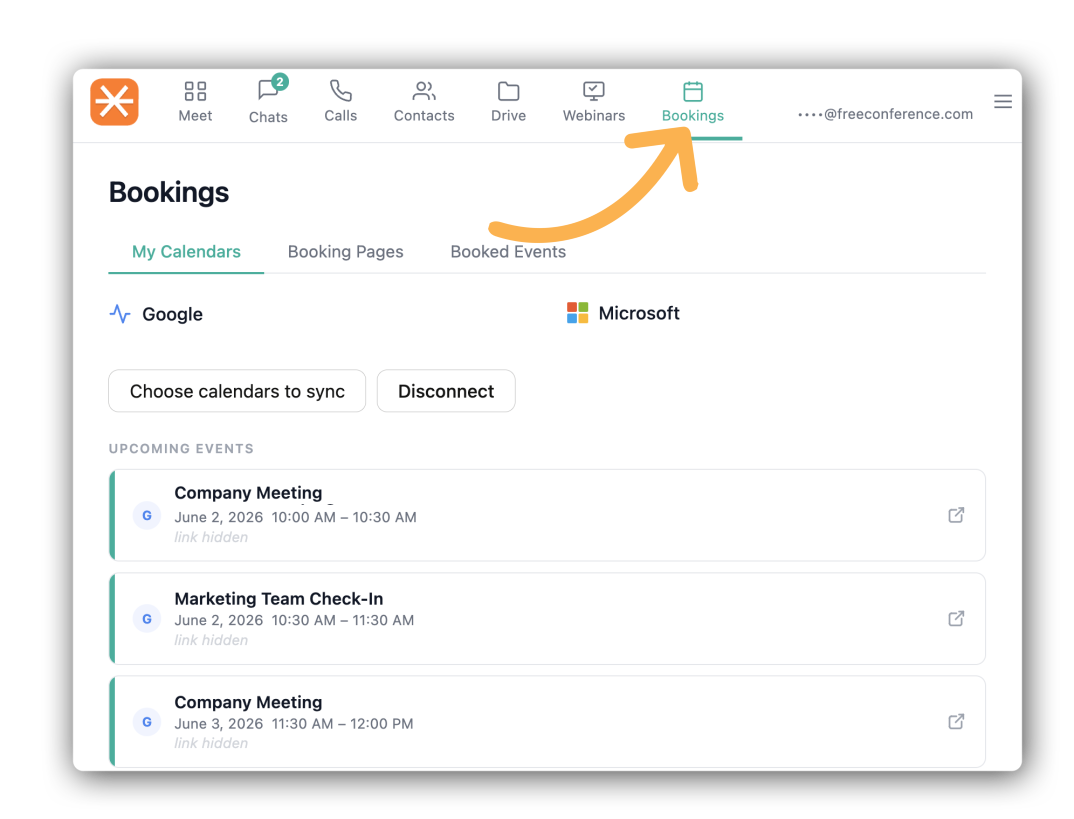
3. Connect your Google Calendar or Outlook to prevent double-bookings.
4.Set your availability — choose your weekly schedule, add buffer time, and set a daily booking limit.
5.Copy your booking link and share it by email, text, or anywhere online. When a guest books a time, a FreeConference.com video conferencing link is automatically created and included in the confirmation.

Free Calendar Booking Features That Do the Work For You

Customizable Booking Page
Add your name, a meeting title, and a description so guests know exactly what they're booking. Simple, clean, and professional.
Availability Management
Set the hours you're available each week, add buffer time between meetings, and limit how many bookings you take in a day. Your schedule, your rules.
Google Calendar and Outlook Sync
Connect your calendar and FreeConference.com automatically keeps your availability up to date. No more double-bookings or awkward reschedules
Automatic Video Conferencing Link
Every confirmed booking includes a FreeConference.com video conferencing link in the confirmation email and calendar invite. Your guest is ready to join before the meeting even starts.
Guest-Friendly Booking Flow
Guests visit your booking page, pick a time, and receive a confirmation with everything they need. No account required. No downloads. No friction.
Timezone-Aware Scheduling
FreeConference.com automatically adjusts your availability to show in your guest's local timezone. Everyone shows up at the right time, every time.
Meeting Calendars Booking


Calendar Booking Page Features Include:

  • Customizable booking page with title, description, and meeting duration
  • Weekly availability management with buffer time and daily booking limits
  • Google Calendar and Outlook sync to prevent double-bookings
  • Automatic FreeConference.com video conferencing link on every booking
  • Guest confirmation emails and calendar invites
  • Timezone-aware scheduling for hosts and guests
calendar features

Included in the Pro Plan

Calendar Booking Page is available on FreeConference.com's Pro Plans. Upgrade your account to unlock scheduling, automatic video links, and calendar sync alongside all the other premium features included in your plan.
cross
Privacy Overview

This website uses cookies so that we can provide you with the best user experience possible. Cookie information is stored in your browser and performs functions such as recognizing you when you return to our website and helping our team to understand which sections of the website you find most interesting and useful. See our Privacy Policy for more information.

FreeConference.com does not sell (as “sell” is traditionally defined) your personal information.

That is, we don’t provide your name, email address, or other personally identifiable information to third parties in exchange for money.

But under California law, sharing information for advertising purposes may be considered a “sale” of “personal information.” If you’ve visited our website within the past 12 months and you’ve seen ads, under California law personal information about you may have been “sold” to our advertising partners. California residents have the right to opt-out of the “sale” of personal information, and we’ve made it easy for anyone to stop the information transfers that might be considered such a “sale”. To do this you need to disable cookie tracking in this model.