Support
Join MeetingSign UpLogin Join a meetingSign upLog in 

FreeConference.com
Calendar Intergrations

Syncing with Google calendar and Microsoft Outlook makes scheduling conferences a snap.
Sign up Now
Calendar integrations

Google Calendar Sync Features

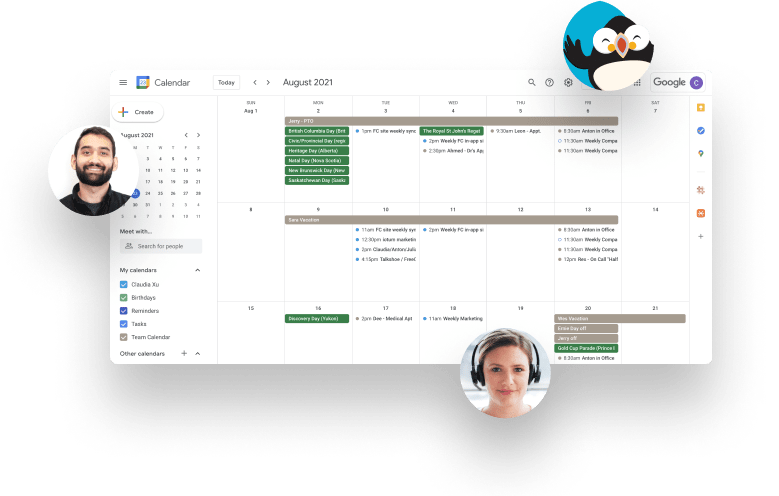
FreeConference integration with Google’s free online calendar is just one more way to make scheduling and organizing conferences a snap.

Now you can coordinate with colleagues, friends, and family by sharing your upcoming conference reservations, and view schedules that others have shared as well.

  • View upcoming conferences by day, week, month, 4-day, or agenda.
  • Use your Google Calendar to share upcoming conference details with colleagues, friends, and family.
  • View schedules that others have shared with you.
  • Set up reminders via email or text message.
  • Access your Google Calendar from your phone’s calendar, or through the mobile version of Google Calendar within your mobile browser.
  • Google Calendar syncs with Microsoft Outlook, Apple iCal and Mozilla Sunbird

.

Google calendar screen with floating headshots around
Outlook panel with magnified FreeConference icon on left sidebar

Conveniently Schedule a Freeconference.com Meeting Right From Microsoft Outlook

Easily embed your FreeConference.com account details with the click of a button right into your Outlook meeting invitation. This convenient scheduling plug-in for PCs offers a direct connection to your FreeConference.com account, making meetings even easier and more efficient!

Freeconference.com Manager for Outlook Features

  • Select which dial-ins appear on the invitation.
  • Check the availability of participants while scheduling (if enabled within Outlook).
  • Pre-populates meeting subject and dial-in right into the email header for quick viewing of call details.
  • Attendees can easily access meeting information from their Outlook calendar on their desktop or synced smartphone.
  • Integrates with your existing Outlook contact database.
  • Supports 64-bit versions of Outlook.
screenshot of freeconference add-on icon on outlook panel
puffin-halloween

Already a FreeConference.com Customer?

Download the FreeConference.com Outlook Plugin now and start scheduling right away! You’ll wonder how you ever lived without it!

NOTE: If you are a Legacy FreeConference user, you must download the legacy version.

Installation Instructions (Windows Only)

  1. Make sure Microsoft Outlook has already been installed on your computer.
  2. Download & open The FreeConference Manager for Outlook on your Windows Computer.
  3. Follow the on-screen instructions; click ‘Next’ to navigate through the installation wizard, and click ‘Finish’ at the final screen.
  4. Restart Outlook if it is already open.

Congratulations! You can now use The FreeConference Manager for Outlook! To send out a meeting invitation, click the FreeConference.com logo from the Outlook Dashboard.

Puffin reading paper and having question mark on head
cross
Privacy Overview

This website uses cookies so that we can provide you with the best user experience possible. Cookie information is stored in your browser and performs functions such as recognizing you when you return to our website and helping our team to understand which sections of the website you find most interesting and useful. See our Privacy Policy for more information.

FreeConference.com does not sell (as “sell” is traditionally defined) your personal information.

That is, we don’t provide your name, email address, or other personally identifiable information to third parties in exchange for money.

But under California law, sharing information for advertising purposes may be considered a “sale” of “personal information.” If you’ve visited our website within the past 12 months and you’ve seen ads, under California law personal information about you may have been “sold” to our advertising partners. California residents have the right to opt-out of the “sale” of personal information, and we’ve made it easy for anyone to stop the information transfers that might be considered such a “sale”. To do this you need to disable cookie tracking in this model.